Free tool from Quotra · Built by a maker, for makers
Cylindrical Engraving Calculator
Page size, guide lines and anamorphic stretch for tumblers, mugs and anything round — numbers you can paste straight into LightBurn, CorelDRAW or GIMP. No sign-up.
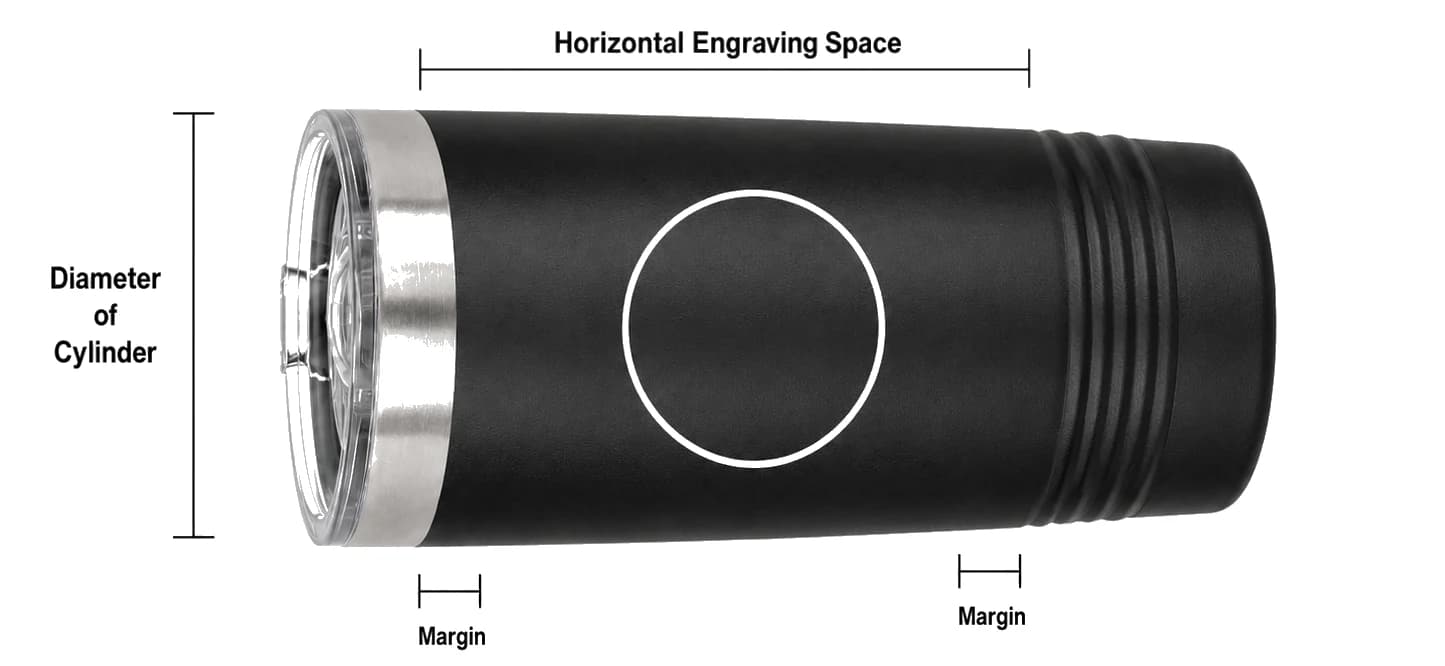
Your measurements
A circular logo or badge on a tumbler — with anamorphic stretch.
Your layout
Use the copy buttons to paste values into your design software.
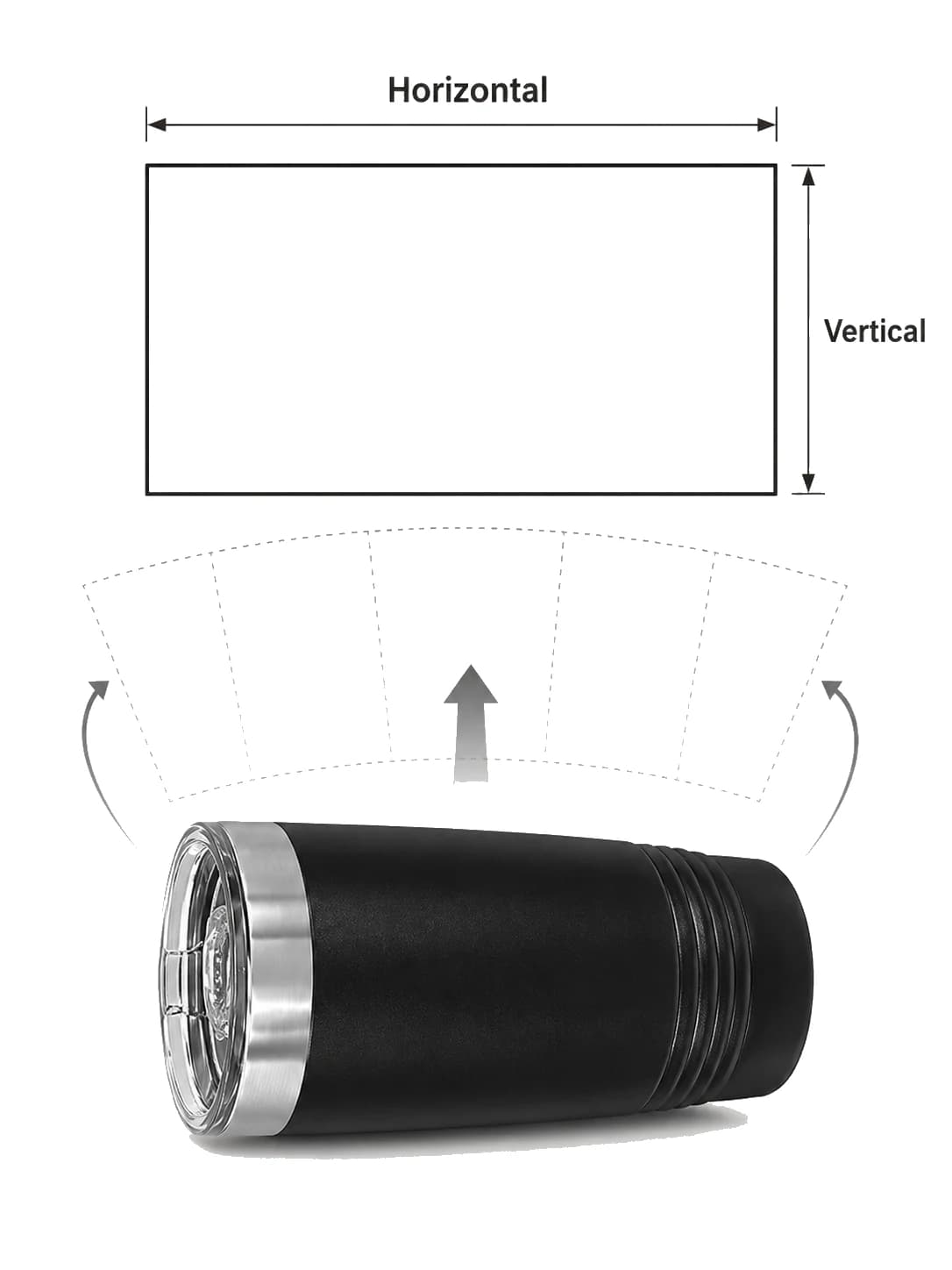
| Horizontal dimension | 85.290mm | |
|---|---|---|
| Vertical dimension | 315.981mm |
| Top | 236.986mm | |
|---|---|---|
| Center | 157.991mm | |
| Bottom | 78.995mm |
| Left | 6.350mm | |
|---|---|---|
| Center | 42.645mm | |
| Right | 78.940mm |
| Height | 72.237mm | |
|---|---|---|
| Width | 72.237mm | |
| Width (stretched) | 77.400mm | |
| Stretch percentage | 7.147% |
Layout overview
Set your document page to this size and drop guides at these positions. Not drawn to scale.
Layout’s done
Now price the job.
Quotra is quoting software for makers. Turn this tumbler into a professional quote — your prices, your options, a proof your customer can approve — between customer calls. 14-day free trial, no card required.
Why round artwork has to be stretched
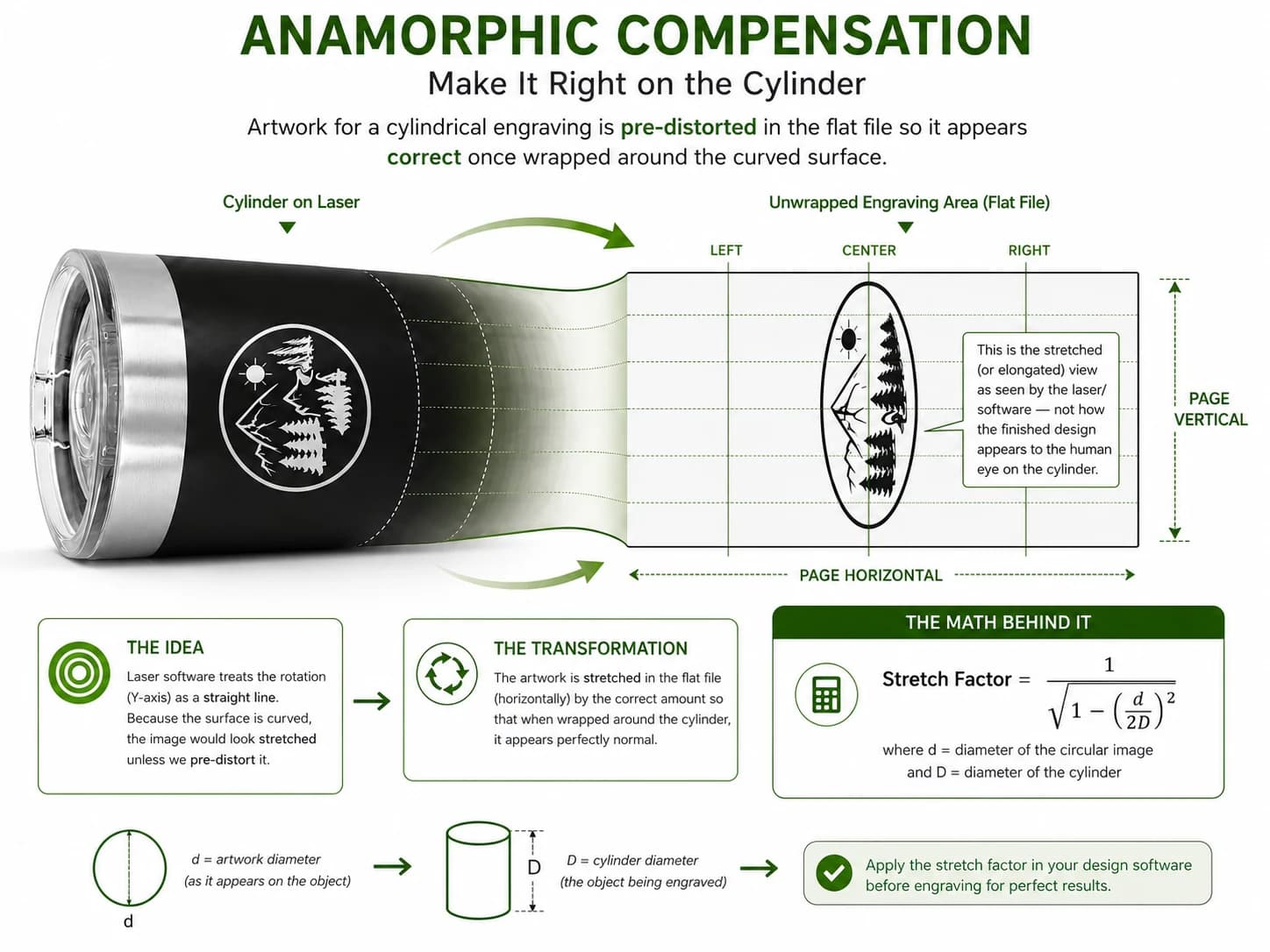
Engraving a circular logo onto a cylinder means mapping a flat image onto a curved surface. Your laser treats the rotation of the tumbler as a straight line, but the surface it’s burning is curved — so a circle that looks right in your file comes out squashed on the finished piece.
Anamorphic compensation pre-distorts the artwork in the flat file so it reads correctly once it wraps around the curve. The calculator works out how much:
d = diameter of the circular image · D = diameter of the cylinder
The effect is called cylindrical anamorphosis. Every time you stretch artwork to make up for the curve, you’re doing a practical form of cylindrical anamorphic correction.
Reading the layout in your design software
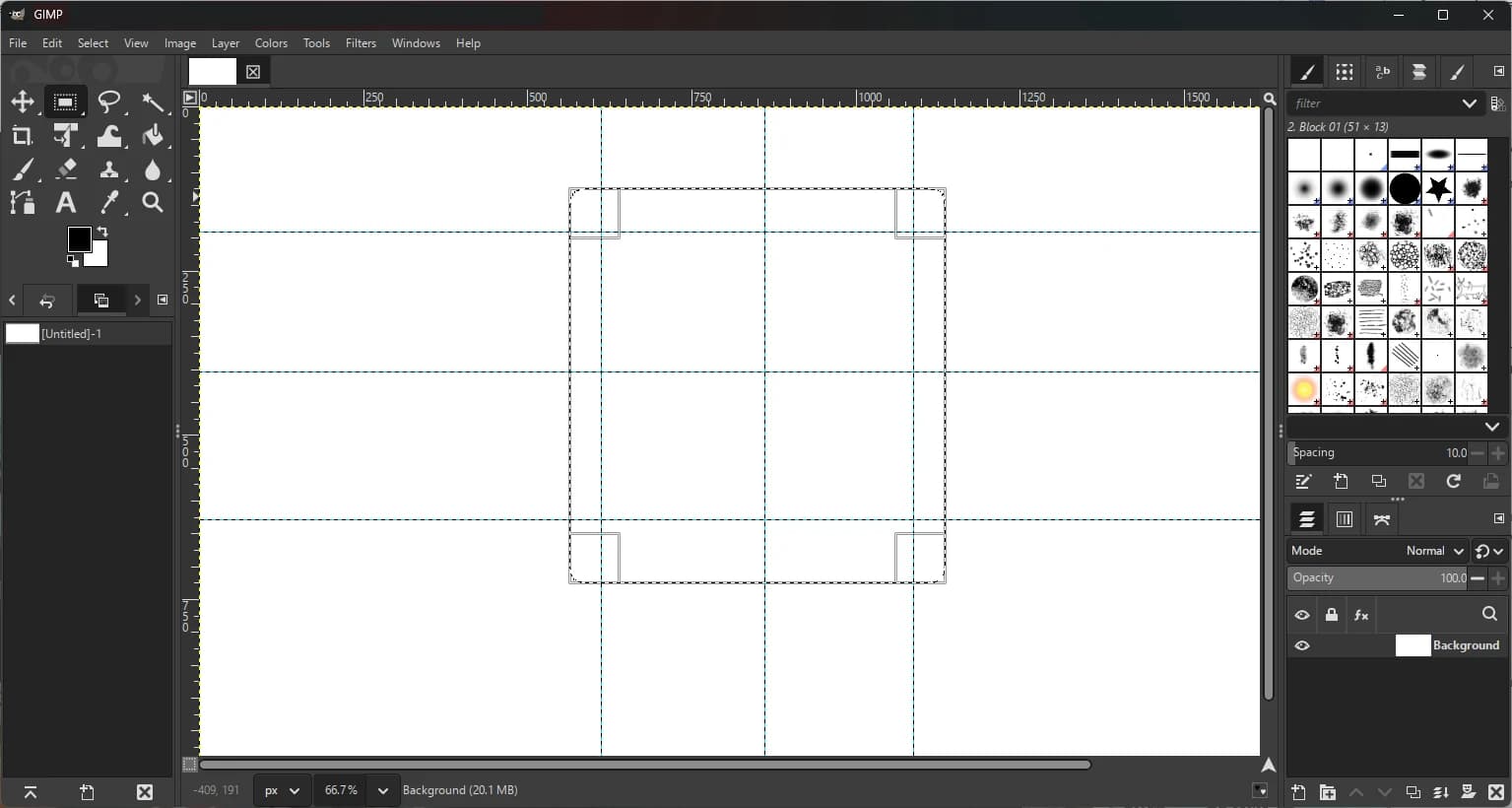
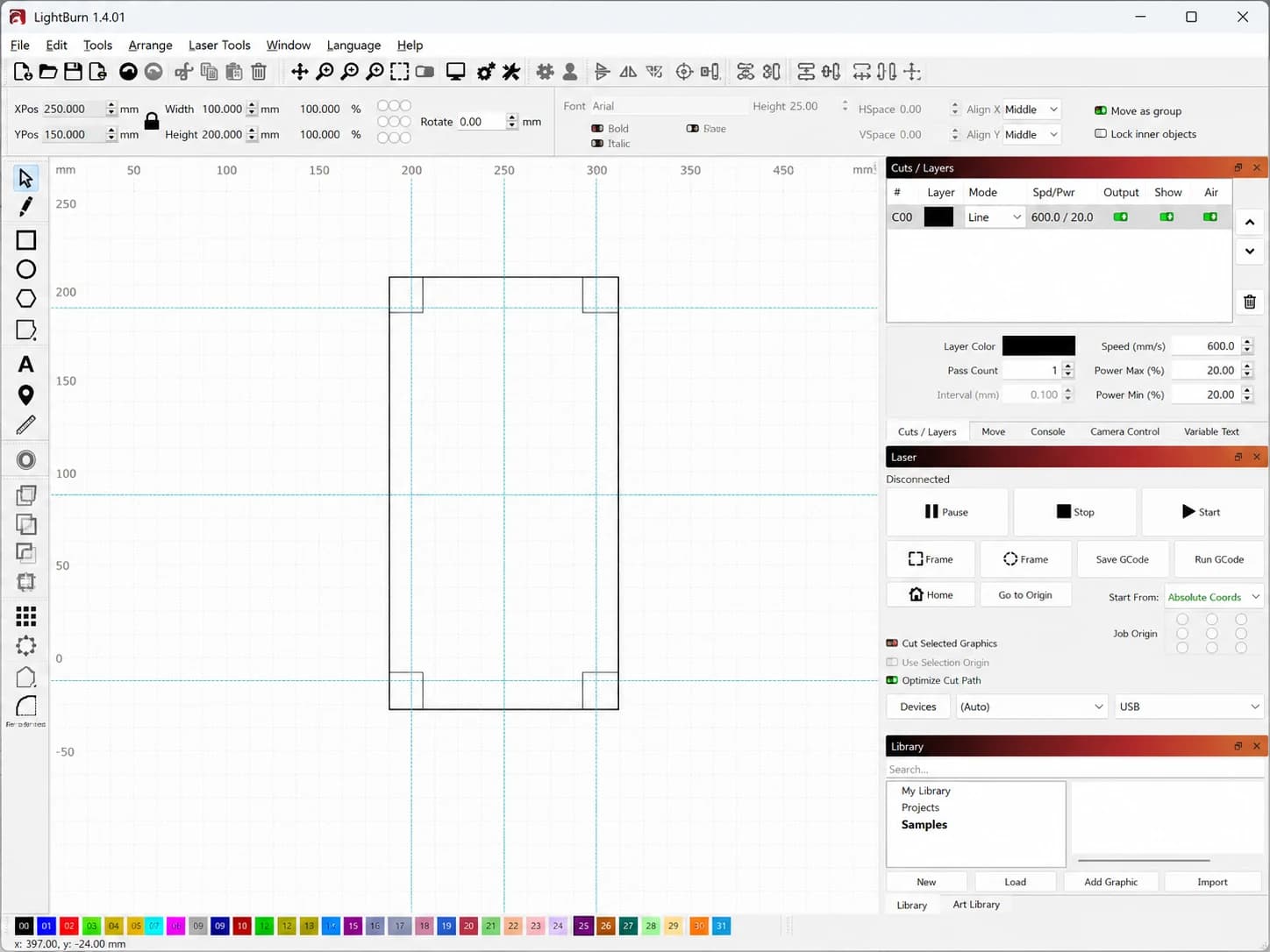
The calculator’s numbers are your document setup. This CorelDRAW file was set up for an 88 mm tumbler with 102 mm of engraving space — enter those two numbers above and you’ll get the same page.
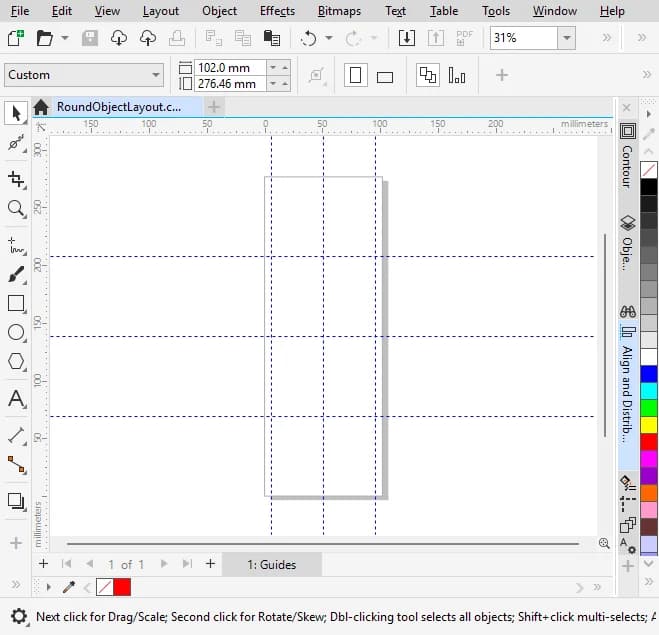
- Page size
- The custom page size (102.0 × 276.46 mm) is the Page size card: horizontal is the engraving space across the object, vertical is the unrolled circumference (π × diameter). That’s why a round object’s page always looks tall and narrow.
- Vertical guides — dashed, black
- The Left / Center / Right guides: your margins and the centerline you align artwork to.
- Horizontal guides — dashed, blue
- The Top / Center / Bottom guides at ¾, ½ and ¼ of the circumference — where the front and back of the object fall as it rotates under the laser.